Your servers, your access
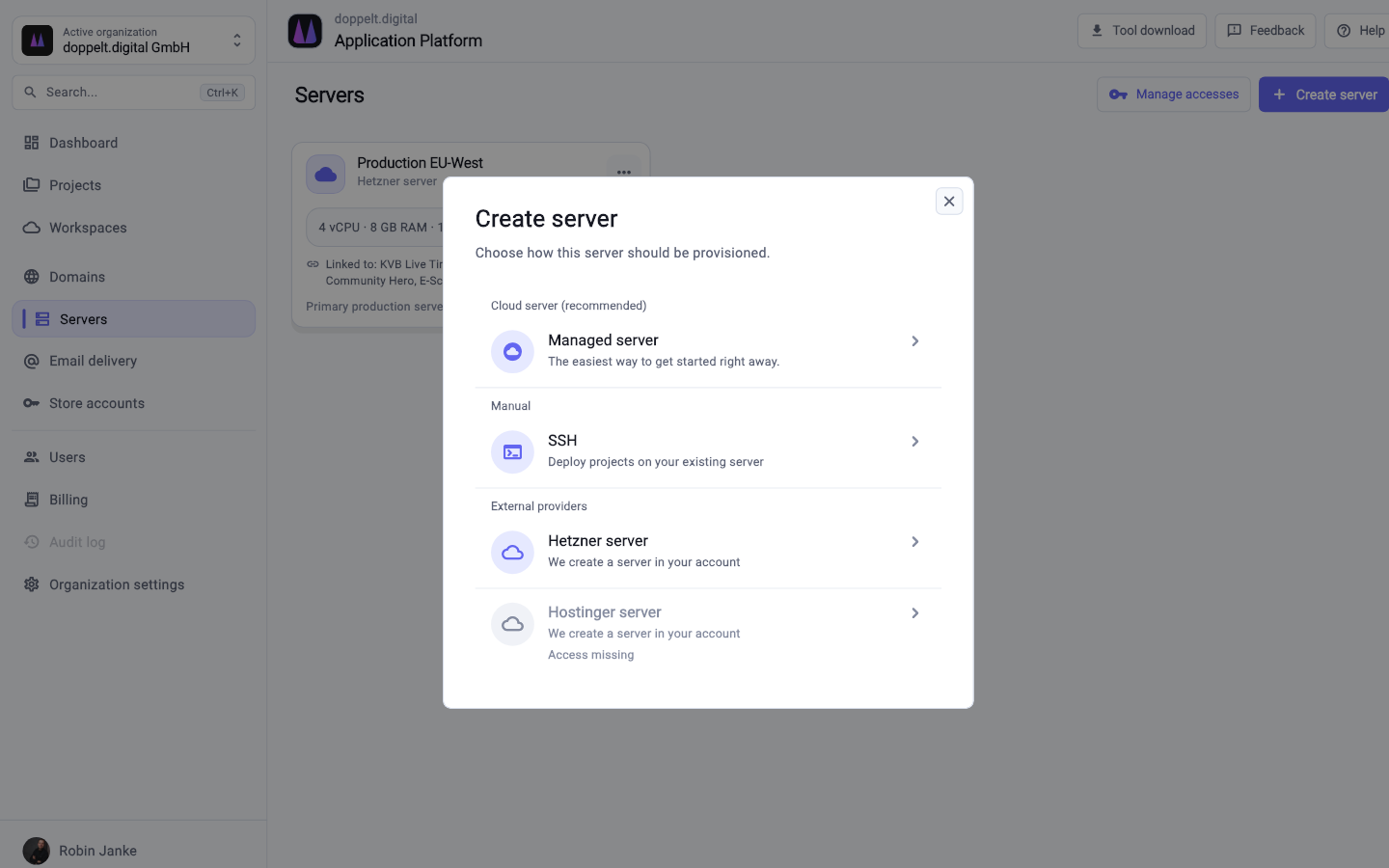
Docker, databases, reverse proxy, SSL, firewall and backups get configured on your own machine or a managed one.

Comparison
Railway handles container deployments smoothly and bills by usage. For your own servers, mobile apps, store releases or EU hosting, the Application Platform covers the whole chain.
Start for free. No credit card required.
Both platforms take deployment work off your hands. What differs is where your code runs and how much of the project chain is covered.
This reflects the typical scope of both platforms. Details change over time, so check the current information from each provider when it matters.
| Criterion | Application Platform | Railway |
|---|---|---|
| Container deployments | Fully covered: Docker-based deployments through prepared pipelines | Fully covered: Core product, extremely quick to set up |
| Getting started and daily handling | Fully covered: A wizard for project setup, then work through Git and pipelines | Fully covered: Very direct interface, few steps to a first deployment |
| Databases in a few clicks | Fully covered: Databases are configured with backups during server setup | Fully covered: Managed databases in a few clicks, including scaling |
| Use your own servers | Fully covered: Your own server over SSH or a managed server from the platform | Not offered: Not supported, execution happens on Railway infrastructure |
| Server baseline with access | Fully covered: Docker, reverse proxy, SSL, firewall and backups on your own machine | Partly covered: Fully abstracted away, no access to the machine |
| Global edge network / CDN | Partly covered: Reverse proxy and SSL per server; no global edge network of its own | Partly covered: Several regions to choose from, delivery close to users |
| Cost model | Fully covered: Platform plus your own servers, which keeps the bill predictable | Partly covered: Usage-based, cheap at low load, harder to forecast as you grow |
| Building mobile apps | Fully covered: Flutter, Expo and native iOS and Android projects including build environments | Not offered: Not part of the product |
| Publishing to App Store and Play Store | Fully covered: Metadata, screenshots and versions through Fastlane from inside the platform | Not offered: Not part of the product |
| Remote development environments | Fully covered: Cloud workspaces with VS Code, JetBrains, RDP and VNC, including macOS for iOS builds | Not offered: Not part of the product |
| Where processing happens | Fully covered: Operated in the EU with a data processing agreement, servers freely selectable | Partly covered: US provider, regions selectable, processing under US law |
Green means fully covered, amber partly, grey not offered. Railway is very comfortable for container deployments – the difference lies in server access, predictability and reach beyond the web.
As of 10 August 2026. This comparison describes typical workflows and can differ from project to project.
The topics that stay open once container deployment and a database are solved.
Docker, databases, reverse proxy, SSL, firewall and backups get configured on your own machine or a managed one.
Flutter, Expo and native projects get built, signed and published to the App Store, Play Store and Microsoft Store with their metadata.
Development environments start fully configured in the browser or over RDP – including macOS machines for iOS builds.
Processing and hosting in Europe, with a data processing agreement, an audit log and full ownership of your code.
application:
  backend_configuration:
    image_tag: 0.26.8-98
  frontend_configurations:
    customer-frontend:
      image_tag: 0.15.6-80
    admin-app:
image_tag: 0.12.1-42Since both sides run containers, your application code usually stays as it is.
Attach your own server over SSH or book a managed one. Docker, databases, reverse proxy, SSL, firewall and backups get configured.
Set up your project in the wizard and pick the stack. The GitLab repository, project structure and CI/CD pipeline are created along with it.
Environment variables go into the project’s credential management, and linked services run as containers on your server.
Load a dump into the prepared database, verify everything on a staging environment, then point the DNS record over.
For container deployments it covers similar ground but takes a different path: servers with SSH access, plus mobile, store releases and dev environments. If you prefer a managed runtime without server access, Railway remains the better fit.
Usually not. Deployments run through Docker, so an existing Dockerfile carries over. What changes are platform-specific conveniences like auto-wired service variables, which you manage instead in the project credential store.
Not necessarily. If your product is a web service with a database and processing location does not matter, there is little reason to switch. It gets interesting once mobile apps, store releases, your own servers or EU operation enter the picture.
Register for free, create a project and check how far the setup gets without any groundwork from you.
Start for free. No credit card required.


